
“What used to take a week took a couple of evenings.”
John knew exactly how BarthMoney should feel. OpenDesign gave him production-grade visual ideas in seconds — and a polished, usable interface he could take into code.
Every evening spent nudging margins was an evening the app did not move.
John works in creative direction and visual systems, not software full-time. After his day job, he turns that visual instinct toward practical apps of his own. That makes every hour count.
BarthMoney began with a clear point of view: personal finance should feel calm and immediate. The alternatives John saw were either overgrown spreadsheets or cluttered with ads. He wanted a focused mobile app where logging a daily expense could be quick, clear, and distraction-free.
John knew the interface needed what he calls “a soul.” The wall was turning that direction into a coherent, buildable mobile UI. A blank Figma canvas or a UI written directly in code could consume whole evenings in colors, spacing, and alignment before the product itself had moved at all.
Staring at a blank canvas in Figma or trying to write UI layouts from scratch in code takes forever when you’re working solo after hours.
One prompt became a visual language he could build from.
John began with the feeling and purpose of the screen: “a modern dark-mode expense dashboard with category breakdown.” The result was not merely a handsome dashboard. It established dark surfaces, gold accents, money hierarchy, and distinct paths for AI-assisted and direct entry.
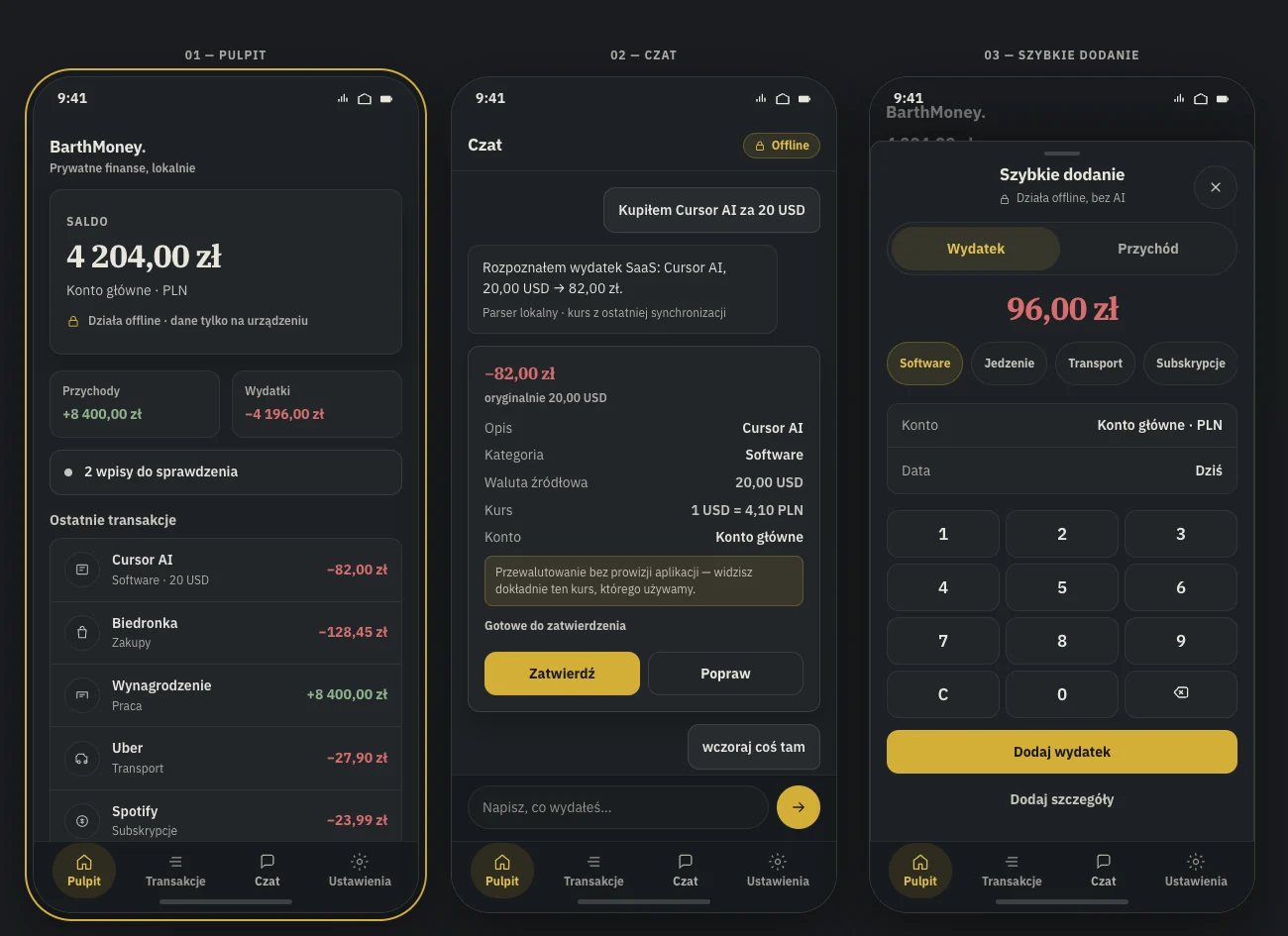
The mockup became a specification he could build from.
John does not ask one agent to invent the product end to end. He gives each tool a clear job, then keeps the product decisions for himself.
The screen’s purpose, hierarchy, mood, and constraints begin as plain language.
John refines the generated HTML and CSS until the interface has a coherent direction.
Components, spacing, colors, and hierarchy become a shared visual specification.
The structure becomes modular widgets and application logic in John’s codebase.
AI is optional. Confirmation is not.
The strongest part of BarthMoney is not the number of screens. It is the set of decisions connecting them: when automation helps, when it should stay out of the way, and what the product promises before a user has entered anything.
Suggest, then ask.
The chat recognizes an expense, category, and exchange rate — but the final confirmation remains with the user.
A direct path stays open.
Quick Add works without AI or a cloud account, because speed and privacy matter more than automation theater.
The empty state makes a promise.
Before there is data, BarthMoney explains what stays local and gives one unmistakable first action.
Multi-screen flows and shared state still take more work — exactly the part of the process John wants OpenDesign to make easier next.
The scarce resource was never ideas. It was uninterrupted time.
John estimates that OpenDesign cut his UI prototyping time by 60–70%. A week of visual tinkering became a couple of evenings, and the core UI direction was ready to move into Flutter within days of the initial concept.
The gain was not simply speed. It gave an after-hours builder enough visual confidence to stop circling the interface and return to the part only he could do: deciding what BarthMoney should become.
BarthMoney was not a one-off. John also used OpenDesign to design the portfolio where the work now lives — another way to turn a visual direction into something concrete.
“If you’re a solo developer or indie hacker without a dedicated designer, OpenDesign is your unfair advantage.”
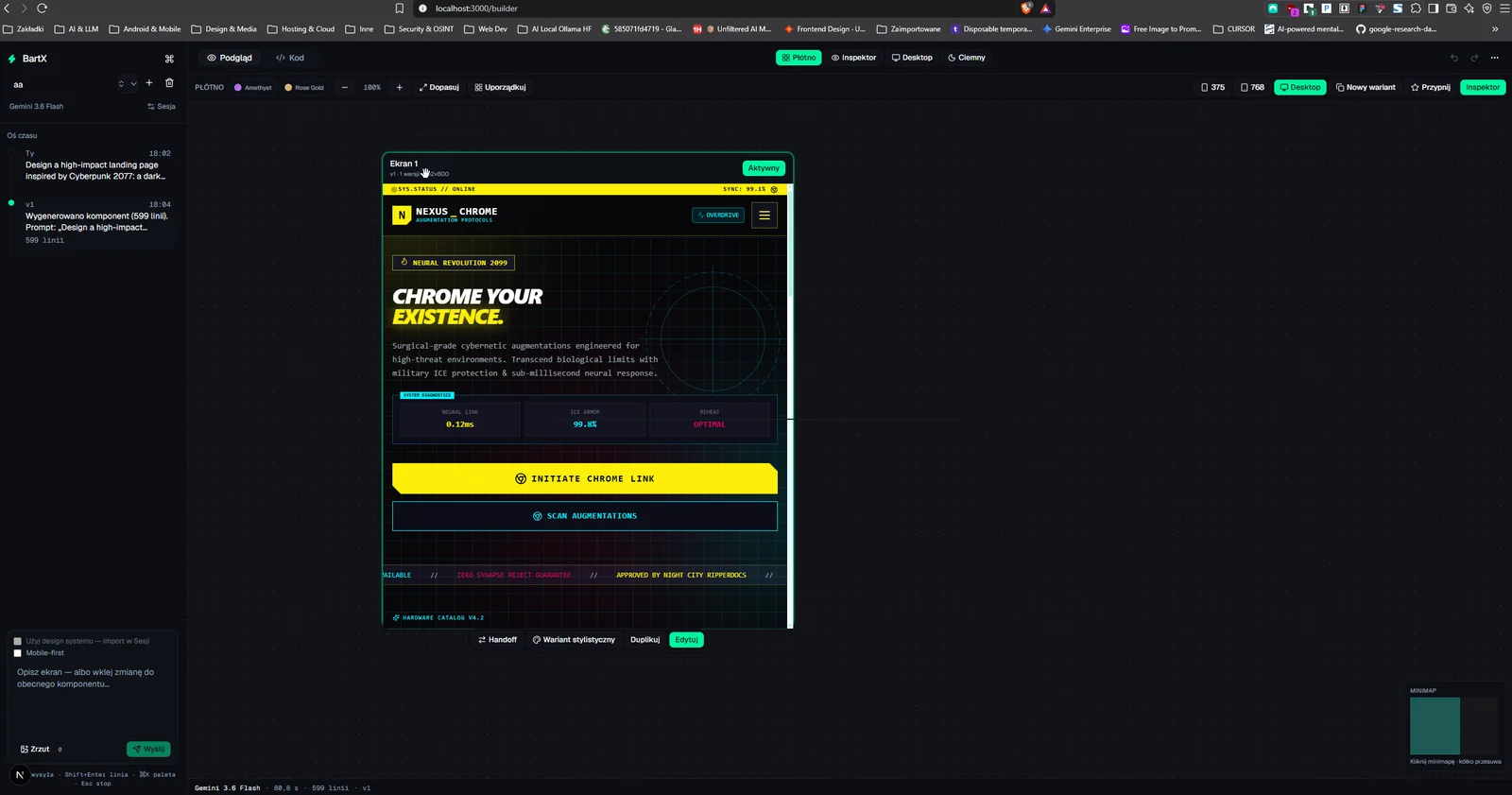
Get the interface out of your head — and into the build.
OpenDesign is free, open-source, and runs on your own machine and your own keys.